Experimental aircraft wiring, designed without fear.
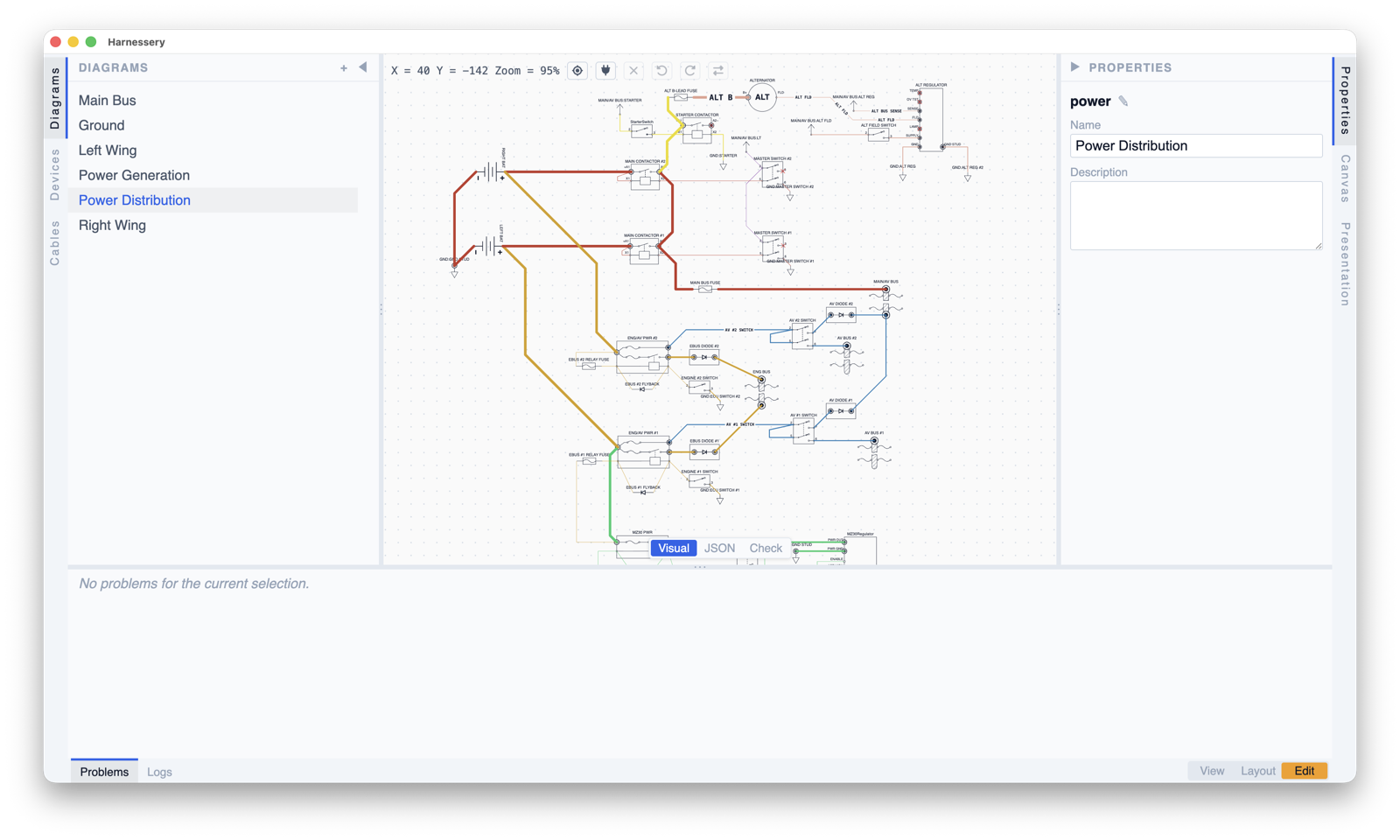
Harnessery is a diagramming tool for the wiring of experimental aircraft. You work in clean, focused diagrams — one view of the airplane at a time — while a complete, canonical schematic keeps every wire honest underneath. Rearrange the picture as much as you like: reposition devices, hide pins, tidy up routes. The wiring itself stays safe.
How it works
Three principles keep your diagrams honest — and your wiring safe.
This is a diagramming tool for aircraft wiring. What you see is a diagram — clean, uncluttered, focused on one aspect of the airplane at a time. Underneath every diagram is a schematic — the complete, canonical record of every device, cable, splice, and connection in the airplane.
The schematic is your defense in depth. It knows everything. It prevents you from accidentally rewiring the avionics bus while you're just trying to tidy up a diagram. You work on the diagram. The schematic keeps you safe.
1. One Source, Many Views
The schematic is the single source of truth. Every diagram is a lens onto it. "Power Distribution" shows buses and batteries. "Avionics" shows Garmin interconnects. "Lighting" shows nav lights. Each is a different projection of the same physical airplane.
An edit made on a diagram writes through to the schematic. The schematic change then ripples back to all diagrams on re-sync. Write once, propagate everywhere.
2. Accurate but Incomplete
A diagram never lies. If a pin is wired in the schematic, the diagram shows that connection — either as a full line to the target, or as a portal marking where it continues. You can omit details to reduce clutter, but you cannot misrepresent. An empty pin should genuinely be unconnected. A pin that appears empty but is actually wired is a bug.
Portals are per connection: a pin portal stands in for one hidden or absent pin endpoint of one specific connection. Three connections to the same absent pin means three portals, one per wire, each independently placeable — the pin never reads as "one wire" when it actually carries several. Cable-wire portals stay per (cable, run, side, wire); a wire endpoint may carry at most one connection, so that identity is already per-connection.
3. Design Without Fear
You can reposition devices, drag waypoints, hide pins, add portals — all without touching the wiring. These are layout edits, and they're safe. Undo is always available. You refine the visual presentation without risk of accidentally rewiring the airplane.
When you DO need to change the wiring, complex operations are single-step. Splitting a wire with a connector is one action, not "delete wire → add connector → rewire both sides." The tool handles the cascade.
Four modes protect you:
- View — read-only, safe for sharing and printing
- Layout — diagram-level edits (positions, waypoints, hiding, portals)
- Edit — wiring changes that write through to the schematic
- Checklist — read-only like View, but wires and cable runs are colored by their build status and connection / cable-run statuses can be marked up